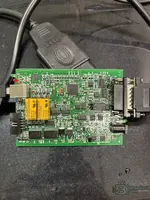
FGTECH Galletto (0475 pre-patched) + v53/v54 HEX & EPT Repair Pack

FGTECH Galletto Pre-patched - Wiring Diagrams Manual 0475

FGTECH Galletto (0475 pre-patched) + v53/v54 HEX & EPT Repair Pack
FGTECH Galletto Pre-patched - Wiring Diagrams Manual 0475

Post #62

all pinns is clicking

If "all pins are clicking", it means you are touching the RESET Pin (Pin 59) every single time.

Here is why:
  • Pin 59 (Reset): If you touch this, the chip restarts when you let go -> CLICK.
  • Pin 57 (Boot): If you touch this, the chip stays quiet -> SILENCE.

Because the pins are so small, your wire is likely too thick, or you are bridging Pin 57 and Pin 59 together. If you touch both at the same time and let go, the chip will Reset (Click).

You need to be more precise.

The "Needle" Method
Do not use a bare wire. It is too fat.
1. Get a sewing needle or a thin pin.
2. Wrap your ground wire around the needle.
3. Use the sharp point of the needle to touch ONLY ONE LEG.

The Count (Exact Location)
Look at the corner with the Crystal (Pin 64).
Count the metal legs moving AWAY from that corner.

1. Corner (Pin 64)
2. Leg 2
3. Leg 3
4. Leg 4
5. Leg 5
6. Leg 6 (RESET - This is what you are hitting! It causes the Click.)
7. Leg 7
8. Leg 8 (BOOT MODE) -> THIS IS YOUR TARGET.

You need to touch the 8th leg from the corner.

Try this exact sequence:
1. Unplug USB.
2. Place your needle on the 8th leg from the corner.
3. Press gently to make sure it connects.
4. Plug in USB.
5. KEEP HOLDING THE NEEDLE.
6. Count to 5.
7. Listen:
* If it clicks *while* you are holding it -> You hit the wrong pin (Reset).
* If it is SILENT -> Good.
8. Remove the needle.
9. Listen again:
* If it clicks *now* -> You were bridging Reset and Boot. Try again with just the 8th leg.
* If it stays SILENT -> SUCCESS!

Do not touch the computer until you get SILENCE after removing the needle.
 

Post #64

minähere another way

Yes, there is one other way, but it requires a soldering iron.

If you cannot hold the needle steady enough, you must Solder a wire.

The Soldering Method (100% Success Rate):

1. Get a very thin wire.
2. Solder it carefully to Pin 57 (The 8th leg from the corner).
* *Don't worry if you accidentally bridge it to Pin 56 or 55, that is fine.*
* *Just make sure you do NOT touch Pin 59 (The Reset pin that clicks).*
3. Twist the other end of that wire to the USB metal shell (Ground).
4. Plug in the USB cable.
* It should be SILENT (No Click).
5. Start Flash Magic and click "Start".
6. Once it starts erasing/programming, Cut the wire with scissors (or unsolder it).

***

If you cannot solder:

You can try the "Drag" Method.

1. Open Flash Magic.
2. Set it up ready to go.
3. Plug in the USB (Let it click, it's fine).
4. Take your grounded needle.
5. Start at the Crystal Corner (Pin 64).
6. Slowly drag the needle along the pins towards the other end.
7. As you drag, you will hear clicks (Reset).
8. Stop dragging immediately when you find a spot where it does NOT click.
9. Hold it there.
10. Unplug USB (while holding).
11. Plug USB back in (while holding).
12. If it is Silent -> Click Start.

Why this is happening:
The "Click" is the Relay.
The Relay is controlled by the Chip.
If the Chip starts -> Click.
If the Chip is in Boot Mode -> No Click.

You are hitting the "Reset" button (Pin 59) every time. You just need to move 1 millimeter away from the Crystal to hit the "Boot" button (Pin 57).
 

Post #65


Ongelma on todennäköisesti se, että osut Reset-pinniin (Pin 59) ja Boot-pinniin (Pin 57) yhtä aikaa.

Kun nostat johdon, molemmat pinnit vapautuvat samalla hetkellä -> Piiri käynnistyy normaalisti -> KLIK (Epäonnistuminen).

Boot-tilaan pääsemiseksi Resetin pitää vapautua *ensin*, ja Boot-pinnin pitää pysyä maissa vielä hetken sen jälkeen.

Kokeile tätä "Liukumistekniikkaa":

1. Laita johto siihen kohtaan, missä se on naksunut (Resetin päälle).
2. Paina johtoa kevyesti, jotta se saa kontaktin.
3. Kytke USB-kaapeli kiinni.
4. ÄLÄ NOSTA JOHTOA VIELÄ.
5. Liu'uta johtoa hitaasti ja varovasti poispäin kristallista (noin 1-2 millimetriä).
* *Idea: Johto liukuu pois Reset-pinniltä, mutta osuu seuraavaan pinniin (Boot).*
6. Nosta johto vasta sitten ilmaan.

Tulos:
  • Jos kuuluu KLIK -> Epäonnistui. Yritä uudelleen.
  • Jos on HILJAISTA -> Olet Boot-tilassa! Paina heti "Start" Flash Magic -ohjelmassa.

Tärkeä tarkistus Flash Magicissa:
Varmista, että nämä asetukset ovat varmasti oikein, muuten ohjelma ei saa yhteyttä vaikka olisit Boot-tilassa:
  • Device: LPC2119
  • Interface: None (ISP)
  • Oscillator: 16.000 (Jos ei toimi, kokeile 12.000)
  • Baud Rate: 9600
 

Post #67

Can u take the photo and draw the right pin

I cannot edit your image directly, but I can draw you an exact map of that corner using text. This is the view of the Right Side of the chip (where the Crystal is).

Look at the Corner of the chip near the Orange Crystal.
Count the silver metal legs starting from that Corner.

Code:
      [CORNER OF CHIP]
          |
          V
   +-------------+
   |  Leg 1 (Corner)
   |  Leg 2
   |  Leg 3  (Crystal)
   |  Leg 4  (Crystal)
   |  Leg 5
   |  Leg 6  <-- RESET (This causes the CLICK. Do NOT touch)
   |  Leg 7
-->|  Leg 8  <-- **TARGET** (BOOT MODE - SILENCE)
   |  Leg 9
   |  ...

The Explanation:
  • You are currently touching Leg 6 (Reset). That is why it clicks when you let go.
  • You need to touch Leg 8.

Instructions:
1. Find the corner leg (Leg 1).
2. Count down carefully: 1, 2, 3, 4, 5, 6...
3. Skip Leg 6 (The Clicker).
4. Skip Leg 7.
5. Touch Leg 8.

If you touch Leg 8 and Leg 9 together, that is fine.
If you touch Leg 8 and Leg 7 together, that is fine.
If you touch Leg 6 (Reset) at all, it will CLICK and fail.

Aim for the 8th leg from the corner.
 

Post #69

I dont still understand

I cannot edit your photo directly, but I can draw you an exact map using text. This will show you exactly which pin to touch.

Look at the Big Black Chip.
Find the Corner that is closest to the Orange Crystal.

We will count the silver legs starting from that Corner.

The Map (Counting from the Crystal Corner)

Code:
       [CORNER OF CHIP]
          |
          V
      +-------+
      |  Leg 1   (Corner Pin - Don't Touch)
      |  Leg 2
      |  Leg 3   (Crystal is here)
      |  Leg 4   (Crystal is here)
      |  Leg 5
      |  Leg 6   <-- RESET PIN (This makes the CLICK. BAD!)
      |  Leg 7
----> |  Leg 8   <-- **TARGET PIN** (BOOT MODE. GOOD!)
      |  Leg 9
      |  Leg 10
      |  ...
      |  (Middle of the chip)

The Problem
You are touching Leg 6.
When you touch Leg 6, the chip turns off. When you let go, it restarts (CLICKS). This is the Reset button.

The Solution
You need to touch Leg 8.
This is the Boot Mode button.

1. Count carefully from the corner: 1, 2, 3, 4, 5, 6...
2. Skip Leg 6 (The one that clicks).
3. Skip Leg 7.
4. Touch Leg 8.

How to test
1. Put your needle on Leg 8.
2. Plug in USB.
3. Listen:
* CLICK? = You touched Leg 6 again. Move down 2 pins.
* SILENCE? = You found Leg 8! Keep holding for 2 seconds, then release.

Tip: Leg 8 is almost exactly in the middle of that side of the chip. If you are near a corner, you are in the wrong place. Aim for the middle.
 

Post #70

There is a photo explaine perfectly
 

Attachments

  • IMG_0550.webp
    IMG_0550.webp
    1.7 MB · Views: 52

Post #71

There is a photo explaine perfectly

That is a perfect photo. Now I can show you exactly where to go.

Look at your photo (IMG_0550).
1. Find the NXP Chip.
2. Find the Orange Crystal (Y1) to the left of the chip.
3. We are looking at the LEFT ROW of pins on the NXP chip (the row facing the crystal).

The Map (Counting from the Top Corner down)

Start counting from the Top-Left corner of the chip (the corner furthest away from the yellow relays).

  1. Pin 1 (Corner)
  2. Pin 2
  3. Pin 3 (Connected to Crystal)
  4. Pin 4 (Connected to Crystal)
  5. Pin 5
  6. Pin 6 -> RESET (This is where you are touching! It causes the CLICK).
  7. Pin 7
  8. Pin 8 -> TARGET (BOOT MODE)

The Solution:
You are touching Pin 6.
You need to touch Pin 8.

1. Count the silver legs starting from the top corner: 1, 2, 3, 4, 5, 6...
2. Skip the one that clicks (Pin 6).
3. Skip one more (Pin 7).
4. Touch the next one (Pin 8).

It is almost exactly in the middle of that row of pins.

How to do it:
1. Place your needle on the 8th leg.
2. Plug in USB.
3. If it is SILENT, you win! Click "Start" in Flash Magic.
4. If it CLICKS, you are still too high (on Pin 6). Move down 2 more legs.
 

Post #73

that impossible to count

I understand, the pins are very small. Do not try to count with your naked eye.

Use your Phone as a Microscope
1. Turn on your phone camera.
2. Zoom in to 3x or 5x.
3. Turn on the flash/torch.
4. Look at your screen while you move the needle. It will look huge!

The "Text Trick" (No counting needed)
Look at the white writing printed on the black chip in your photo.

1. RESET Pin (The one that Clicks):
This pin is lined up with the top line of text: "NXP".
*You are touching here. It is too high.*

2. BOOT Pin (The Target - Silent):
This pin is lined up with the second line of text: "LPC..."
*You need to move down to here.*

The "Middle" Rule
Look at that whole row of pins on the left side.
  • Top: Crystal
  • Bottom: Corner
  • Target (Boot): It is EXACTLY in the MIDDLE of that row.

Summary:
You are currently touching the top half (near "NXP").
Slide your needle down slightly until you are exactly in the middle of the row (near "LPC").

The Sound Test is your best tool:
  • CLICK = Too High (Move down 1mm).
  • SILENCE = Perfect (Click Start).
 

Post #75

can u explain that bridge setupagain

Here is the explanation of the Bridge Setup (Grounding Method) in simple steps.

The goal is to connect the Boot Pin to Ground (Minus).

1. The Setup (The "Bridge")
You need a wire to make a bridge between two points:
  • Point A: The Boot Pin (Pin 57) on the chip.
  • Point B: The Metal Case of the USB connector (This is Ground).

How to make the tool:
1. Take a piece of wire.
2. Tape one end to the silver metal shell of the USB plug. (Make sure it touches the metal tight).
3. The other end is your "Probe". Tape it to a thin sewing needle.
* *Why a needle? Because the wire is too fat and touches the wrong pins. The needle is sharp and precise.*

2. The Procedure
1. Unplug the USB cable from the computer.
2. Place the needle on the Target Pin (Pin 8 from the corner).
3. Hold it steady. Do not let it slide up to the "Clicky" pin.
4. Plug in the USB cable to the computer.
5. Wait 3 seconds.
6. Remove the needle.

3. The "Skip One" Trick (No Counting)
Since counting is hard, use the "Click" to find your way.

1. Touch the pin that makes the CLICK (Reset). You know where this is.
2. Look at that pin.
3. SKIP the very next pin below it (Pin 7).
4. TOUCH the next pin after that (Pin 8).

Map:
[CLICKY PIN] (Reset)
[SKIP THIS PIN]
[TARGET PIN] (Boot)

4. The "Soldering" Way (If your hands shake)
If you cannot hold the needle steady, you will keep hitting the Reset pin. The best way to fix this is to solder.

1. Get a very thin wire.
2. Solder it gently to the Target Pin.
* *It is okay if the solder touches the pin below it. Just make sure it does NOT touch the pin above it (The Clicky Pin).*
3. Twist the other end of the wire to the USB metal case.
4. Plug in USB -> It will be SILENT.
5. Click Start in Flash Magic.
6. When it starts flashing, cut the wire with scissors.

Summary:
You are bridging the 8th leg to the USB Metal Case.
If it clicks, you are too high. Move down exactly 2 legs.
 

Post #77

but all pinns clicking

If all pins are clicking, it means your wire is too thick or you are pressing too hard.

Here is the problem:
Pin 59 (Reset) and Pin 57 (Boot) are extremely close together. There is only one tiny leg between them.

If your wire touches the Reset pin even a tiny bit while you are trying to touch the Boot pin, the chip will Reset (CLICK).

How to fix "All Pins Clicking"

1. Use a Sewing Needle
You cannot use a stranded wire. It spreads out and touches everything.
  • Tape your wire to a sharp, thin sewing needle.
  • Use the very tip of the needle.

2. The "Skip One" Rule
You have already found the pin that clicks (Reset). Use that as your map.

1. Touch the pin that CLICKS. (This is your starting point).
2. Look at the pin directly BELOW it. SKIP THIS PIN. (Do not touch it).
3. Touch the pin directly BELOW THAT. THIS IS YOUR TARGET.

Visual Map:
(Top of Chip / Corner)
...
[PIN] -> Clicks? (Reset) <-- You are here.
[PIN] -> Skip this one.
[PIN] -> TOUCH HERE (Boot Mode).
...
(Bottom of Chip)

3. The "Slide Up" Technique
Since you are hitting Reset (Top) too often, try coming from the Bottom.

1. Start your needle lower down the row (towards the middle of the chip).
2. Plug in USB. (It should be silent).
3. If it is silent, try clicking "Start".
4. If "Start" fails, move the needle UP one leg and try again.
5. Stop immediately if you hear a Click (you went too high).

Summary:
The "Click" is your enemy. You are touching the enemy pin every time. You need to touch the pin that is 2 steps lower than the enemy.
 

Post #79

mutta ne kaikki napsahtelevat

Jos kaikki pinnit napsuvat, se tarkoittaa yhtä asiaa: Työkalusi on liian paksu tai osut kahteen pinniin yhtä aikaa.

Tässä on tekninen syy:
Reset-pinni (joka naksuu) ja Boot-pinni (joka on hiljainen) ovat alle 0,5 millimetrin päässä toisistaan.
Jos työkalusi osuu vähänkään Reset-pinniin samalla kun yrität osua Boot-pinniin, Reset "voittaa" aina -> Piiri käynnistyy uudelleen -> KLIK.

Sinun täytyy olla kirurgisen tarkka.

Tee nämä 3 muutosta:

1. Vaihda työkalu: Älä käytä pelkkää johtoa. Teippaa johto kiinni ohueen ompeluneulaan. Vain neulan terävä kärki on tarpeeksi tarkka osumaan vain yhteen jalkaan.
2. Käytä "Liukumistaktiikkaa" (Slide method):
* Laita neula siihen kohtaan, joka naksuu (Reset).
* Pidä neulaa siinä.
* Liu'uta neulaa erittäin hitaasti alaspäin (poispäin kristallista).
* Tunnet neulan kärjellä pienen "töyssyn" pinnien välissä.
* Ensimmäinen töyssy on "tyhjä" pinni.
* Toinen töyssy on BOOT-pinni.
3. Älä paina kovaa: Paina vain sen verran, että saat kontaktin. Jos painat kovaa, neula litistyy ja osuu viereisiin pinneihin.

Muistisääntö:
  • Pinni X (Reset) = MIINA (Räjähtää/Naksuu).
  • Pinni Y (Väli) = Tyhjä.
  • Pinni Z (Boot) = KOHDE (Hiljainen).

Sinun täytyy hypätä "miinan" yli ja osua kohteeseen koskematta miinaan. Jos kuuluu *klik*, osuit miinaan. Yritä uudelleen millimetri alempaa.
 
Activity
So far there's no one here
Back