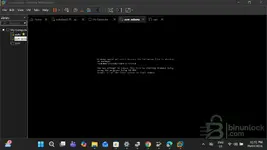
also when i download which do i extract the whole downloaed file or is it the file contained in the ...
This depends entirely on how the Subaru SSM4 VM was packaged for download.
Here's how to figure it out:
1.
Check the Downloaded File Type:
*
If it's a single .vmdk file: You usually don't "extract" a single
.vmdk file. You would typically import this file directly into VMware Workstation or Player via "File" > "Open a Virtual Machine" or by creating a new VM and pointing to the existing disk.
*
If it's an archive file (e.g., .zip, .rar, .7z, .tar.gz): This is the most common scenario for distributing multi-file VM components. In this case, you
must extract the contents of the archive file. The archive contains the
.vmdk file itself, along with other necessary configuration files (like
.vmx). You should extract the
entire downloaded file to get all the VM's components out.
*
If it's a folder containing multiple files: Sometimes, downloads are provided as a folder structure already. In this case, you don't extract anything further; you just copy or move the entire folder to your desired location for VMs.
2.
Look for Instructions: The source where you downloaded the VM image should provide instructions on how to set it up. Always follow those instructions first.
3.
Common Scenario:
Most likely, you downloaded an archive file (like a
.zip or
.rar). In this case, you need to:
* Download the archive file.
* Use a program like 7-Zip, WinRAR, or Windows' built-in ZIP extractor to extract the
entire downloaded archive file.
* This extraction will create a folder containing the
.vmdk file and potentially a
.vmx file (the virtual machine configuration file).
* Then, you would typically open the
.vmx file in VMware Workstation, or use "Import" if that option is available.
In summary: If you downloaded an archive (like a .zip or .rar), extract the downloaded file to reveal the actual VM components (including the .vmdk). If you downloaded a single .vmdk file, you likely don't need to extract anything and would import it directly.