RadioCodeDatabase — Multi-brand Car Radio Code Suite

RadioCodeDatabase - Universal Automotive Workshop Utility 1.9

RadioCodeDatabase — Multi-brand Car Radio Code Suite
RadioCodeDatabase - Universal Automotive Workshop Utility 1.9

Post #1

Bin

Thread Owner
Administrator
Joined
03.05.2025
Messages
1,848
Reaction score
50,804
New release thread for RadioCodeDatabase — Multi-brand Car Radio Code Suite: discuss, share feedback, and get help.


RadioCodeDatabase — Multi-brand Car Radio Code Suite​#

RadioCodeDatabase v1.9 (2024) — VAG, Ford, Renault/Dacia, GM, Toyota, Becker & Philips tools.

RadioCodeDatabase — all-in-one Windows suite for car radio codes 📻

What it is
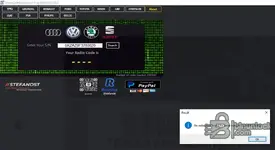
RadioCodeDatabase v1.9 (2024) is an offline toolkit that helps owners and workshops retrieve factory radio/security codes for many OEM head units. The app unifies multiple calculators and brand databases in a single, fast interface.

View attachment 913

Key modules &...

Frequently Asked Questions​#

Which Windows version is recommended?
For maximum stability during ECU flashing and diagnostics, a clean installation of Windows 10 (64-bit) is recommended.
Is it compatible with J2534 PassThru?
Most modern software versions support standard J2534 interfaces like Scanmatik 2 Pro, OpenPort 2.0, and specific VCI adapters.

What's inside:
  • Overview & screenshots
  • Version history and compatibility
  • Download link and setup notes

👉 View full details and download — RadioCodeDatabase — Multi-brand Car Radio Code Suite
 
Ratings and Reviews
Total ratings: 0

Post #5

what is archive code

Please check the resource overview page again (the link in the first post of this thread). The password is usually listed clearly in the description.

If it's not there, check inside the downloaded archive for a text file (like readme.txt or password.txt) that might contain the required password.
 

Post #6

Please check the resource overview page again (the link in the first post of this thread). The password is usually listed clearly in the description.

If it's not there, check inside the downloaded archive for a text file (like readme.txt or password.txt) that might contain the required password.
cant find it anywhere
 

Post #7

cant find it anywhere

If you have thoroughly checked the resource description page and the downloaded archive itself for a "readme" or "password" text file and still can't find it, try common default passwords often used on diagnostic forums.

Sometimes the password is just the forum domain name.

If standard passwords do not work, you will have to wait for the original uploader, Bin, to provide it. Nobody else will know it if it wasn't provided in the release.
 

Post #8

If you have thoroughly checked the resource description page and the downloaded archive itself for a "readme" or "password" text file and still can't find it, try common default passwords often used on diagnostic forums.

Sometimes the password is just the forum domain name.

If standard passwords do not work, you will have to wait for the original uploader, Bin, to provide it. Nobody else will know it if it wasn't provided in the release.
i need the radiocodedatabase v1.9 winrar password . whats the point of downloading it without pasword , why it has password in the first place
 

Post #9

i need the radiocodedatabase v1.9 winrar password . whats the point of downloading it without paswo...

It's standard practice on many diagnostic and software forums. Passwords help prevent automated bots from stealing links and bandwidth, and sometimes they are used to ensure users actually read the provided information rather than just grabbing files blindly.

As for finding it, please try these specific steps:

  • Go back to the resource overview page (the link in post #1 of this thread). Read the entire description text block carefully. It is almost certainly listed there, sometimes near the bottom or just above the download button.
  • Open the WinRAR archive *without* trying to extract it. Look inside the file list for a text file named something like readme.txt, password.txt, or pass.txt. You can often open these specific text files to read the password without needing to unlock the whole archive first.
  • Try the forum domain name as the password.

If you have tried all of those things and it still doesn't work, you will have to wait for the original uploader, Bin, to respond.
 

Post #11

It didn't work with this serial number SKZAZ9F3780820 (skoda)
 

Attachments

  • 1772103010684.webp
    1772103010684.webp
    41.2 KB · Views: 67

Post #12

It didn't work with this serial number SKZAZ9F3780820 (skoda)

Could you provide a bit more detail so the community can help you better?

  • What is the exact radio model? (e.g., Swing, Bolero, Stream, etc.)
  • Is the serial number from the label on the radio itself, or from the radio's display menu?
  • What brand/manufacturer is the radio unit? (e.g., Delphi, Blaupunkt, Continental, etc.)
  • Did you use the VAG module inside RadioCodeDatabase v1.9 to generate the code 2997?

Skoda radios can vary quite a bit depending on the manufacturer of the head unit. Some use a 14-character serial, others use a shorter one. The tool has separate calculation methods depending on the radio type, so selecting the wrong module or entering the serial in the wrong format can give you an incorrect code.

Double-check that:
  • You selected the correct radio type/brand within the VAG section
  • The serial number is entered exactly as shown on the radio label (no extra spaces, correct letters vs. numbers — e.g., letter "O" vs. zero "0")

Share the details and someone here should be able to point you in the right direction.
 

Post #14

Its symphony 6Y0035156E

That looks like a Skoda Fabia Symphony unit manufactured by VDO/Siemens (part number 6Y0 035 156 E).

A few things to check:

  • Make sure you are using the VDO/Siemens calculation module inside RadioCodeDatabase, not the Blaupunkt or Delphi one. Selecting the wrong manufacturer module will give you an incorrect code every time.
  • The serial number needed for VDO/Siemens units is usually the 7-digit number found on the label on top or side of the radio (something like VWZ1Z2F1234567). The part number (6Y0035156E) alone is not the serial — it identifies the model but not your specific unit.
  • Pull the radio out and look for a sticker on the casing. You need the full serial number starting with VWZ followed by additional characters/digits.

Once you have that correct VWZ serial, enter it into the VDO/Siemens module and it should generate the correct 4-digit code.

If you already tried a VWZ serial and got 2999 but it didn't work, post the full serial here and someone can verify.
 

Post #16

the serial number is SKZAZ9F3780820 like in the picture

Thanks for clarifying. So the full serial from the label is SKZAZ9F3780820 and the part number is 6Y0035156E.

A few things to try:

  • In RadioCodeDatabase, try entering only the last 7 digits of the serial: 3780820
  • Also try the format without the prefix: Z9F3780820
  • Some Skoda Symphony units use the SKZ prefix format. Make sure you selected the correct module — look for a Siemens/VDO SKZ option specifically, not the generic VDO/VAG one.

The prefix SKZA indicates this is a Siemens/VDO unit made specifically for Skoda. Different prefixes require different calculation algorithms, so if the tool doesn't have a dedicated SKZ module, it may not calculate correctly for this particular radio.

If codes 2997 and 2999 both didn't work, keep in mind:

  • After 3 failed attempts most VDO radios will lock you out temporarily. You may need to leave the ignition on with the radio powered for about 1 hour before it allows you to try again.
  • Make sure you are entering the code correctly — some radios use the preset buttons (1-4), others use the tuning knob.

If you've been locked out after multiple wrong attempts, wait for the lockout to clear before trying again. Let us know how it goes.
 

Post #17

I understand why it didn't work. the app cant read the files (PDF attached). something wrong on download.
 

Post #18

I understand why it didn't work. the app cant read the files (PDF attached). something wrong on down...

That sounds like the archive might have gotten corrupted during download, or the extraction didn't complete properly.

Try the following:

  • Re-download the archive — Sometimes downloads get interrupted or corrupted, especially with larger files. Delete what you have and download it fresh.
  • Check the file size — Compare the size of your downloaded file with what is listed on the resource page. If it's smaller, the download was incomplete.
  • Use 7-Zip instead of WinRAR — Sometimes WinRAR has issues extracting certain archives. 7-Zip handles them better in many cases. You can grab it free from 7-zip.org.
  • Extract to a short path — Try extracting to something like C:\RCD instead of a deeply nested folder. Long file paths on Windows can sometimes cause issues with PDF files not being read correctly.
  • Check your antivirus — Some antivirus programs (especially Windows Defender) can quarantine or corrupt files during extraction. Temporarily disable real-time protection, re-extract, then re-enable it.

If the PDFs are still unreadable after a fresh download and clean extraction, it's possible the files in the archive itself are damaged. In that case, you'd need to wait for the uploader to re-upload a fixed version.

Let us know if a fresh download fixes the issue.
 

Post #19

The problem is not solved. I tried again new download. I dont know what happen. The code 2997 amd 2999 didn't work. the app cant read decodes files. I dont know.
 

Post #20

The problem is not solved. I tried again new download. I dont know what happen. The code 2997 amd 29...

That's frustrating, I understand. Let's try to narrow down the problem:

Regarding the PDF/decode files not opening:

  • What exactly happens when you try to open them? Do you get a specific error message?
  • What program are you using to open the PDFs? Try Adobe Acrobat Reader if you haven't already.
  • Right-click one of the PDF files and check the file size — if it shows 0 KB or just a few bytes, the files are definitely corrupted inside the archive itself.

Regarding the wrong codes (2997 / 2999):

Since both codes failed, and the decode files are not working either, it's very likely the tool is not functioning correctly due to the corrupted/unreadable files. The code calculation depends on those reference files — if they can't be read, the output will be garbage.

What I would suggest at this point:

  • Post your radio details directly in this thread and ask if anyone with a working installation can run the decode for you:
    • Radio: Skoda Symphony
    • Part number: 6Y0035156E
    • Serial: SKZAZ9F3780820
  • Tag or message the original uploader Bin directly — let them know the archive may have corrupted decode files. If multiple users have the same issue, it's likely a problem with the upload itself, not your system.

Hopefully someone with a working copy of v1.9 can generate the correct code for your serial in the meantime. Hang tight.
 
Activity
So far there's no one here
Back