ISTA+ STANDALONE (Activated) - Free Download for BMW / MINI Diagnostics

ISTA+ STANDALONE BMW Diagnostic & Coding - Workshop Solution 4.59.12

ISTA+ STANDALONE (Activated) - Free Download for BMW / MINI Diagnostics
ISTA+ STANDALONE BMW Diagnostic & Coding - Workshop Solution 4.59.12

Post #1

Bin

Thread Owner
Administrator
Joined
03.05.2025
Messages
1,848
Reaction score
50,804
New release thread for ISTA+ STANDALONE (Activated) - Free Download for BMW / MINI Diagnostics: discuss, share feedback, and get help.


ISTA+ STANDALONE (Activated) - Free Download for BMW / MINI Diagnostics​#

The complete, ready-to-use dealer diagnostic software. Full version, no license or activation needed

Presenting the full, multilingual version of the ISTA+ 4.39.20 (also known as Rheingold) dealer-level software for comprehensive diagnostics, coding, and programming of BMW, MINI, and Rolls-Royce vehicles. This Standaloneversion is fully pre-activated, requiring no license key, patches, or extra activation steps. It's ready to work right after installation. The archive is hosted on Mega for a fast and reliable download.


Key Features of This...

Frequently Asked Questions​#

Which Windows version is recommended?
For maximum stability during ECU flashing and diagnostics, a clean installation of Windows 10 (64-bit) is recommended.
Is it compatible with J2534 PassThru?
Most modern software versions support standard J2534 interfaces like Scanmatik 2 Pro, OpenPort 2.0, and specific VCI adapters.

What's inside:
  • Overview & screenshots
  • Version history and compatibility
  • Download link and setup notes

👉 View full details and download — ISTA+ STANDALONE (Activated) - Free Download for BMW / MINI Diagnostics
 
5.00
5 Rating

Post #3

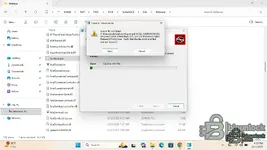
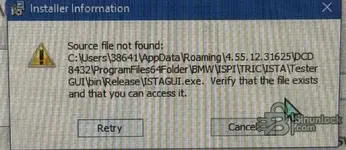
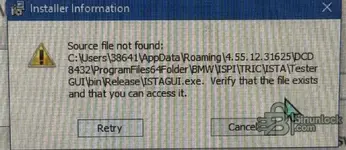
getting an error that ISTAGUI.exe is not present any advice ?
 

Attachments

  • 1762389347953.webp
    1762389347953.webp
    78.9 KB · Views: 184

Post #8

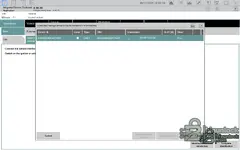
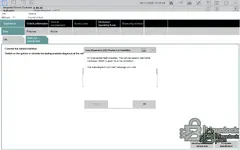
the program starts normally, but as soon as it tries to connect to the vin, the error message appears.
Ok, thx
Apparently no one can make a better version than the one from BimmerScene.
 

Post #9

Good afternoon, I also tried to install ISTA 4.56.30. I couldn't put it on- I swore at the files and at Java. as a result, I had to update version 4.55.12. and everything works.
 

Post #10

You have an option from BimmerScene?
BimmerScene no longer provides an installer password for version 4.56.30. It’s available, but it has HWID activation — you need to send your HWID to the builder, but you must have VIP membership for that. In short, they made the versions paid.
 

Post #11


BMW ISTA+ Standalone 4.57.21
Diagnostics + Programming workflow-ready setup • EN/DE


A practical ISTA+ Standalone 4.57.21 package prepared for everyday workshop-style use.
If you’re building a stable BMW diagnostic laptop or want a clean baseline for troubleshooting, this release keeps things simple: ISTA archive + config + install notes, plus a pointer for matching programming data.

Package contents
  • ISTA.rar — main ISTA+ package archive
  • ISTA+Standalone-4.57.21 config — configuration folder for the standalone setup
  • instal.txt — install notes / quick instructions
  • 4.57.21_PSdZData.7z.tоrre** — reference pointer for matching PSdZData (programming data)
Languages
  • German
  • English


Works with
  • ✅ D-CAN
  • ✅ ENET
  • ✅ ICOM


Why 4.57.21?
Because it’s a solid middle-ground build that’s popular for mixed fleets:
  • Good balance of features vs. “random new build surprises”
  • Comfortable for both diagnostics and typical programming workflows (with matching data)
  • A reliable reference version when comparing behavior across setups


Heads-up before you start
  • Use a machine with enough disk space (programming data is large).
  • Run as Admin where required and keep the install path simple.
  • Always pair ISTA+ with the matching PSdZData version for best compatibility.


Note: This is a recent package and may not be fully tested on every hardware/OS combo.
If something goes wrong, remove the created working folders and reinstall clean.


Disclaimer
For authorized/legitimate use only. Ensure you have the proper rights/licenses for BMW ISTA+ and PSdZData in your region.​
 

Post #13

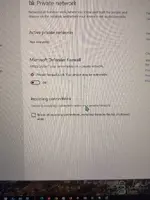
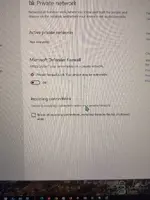
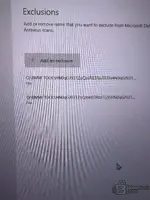
Iam havin error to , my windows security is of and i reinstal 26gb again and still this is popin up
 

Attachments

  • IMG_3902.webp
    IMG_3902.webp
    120.1 KB · Views: 88
  • IMG_3901.webp
    IMG_3901.webp
    2.2 MB · Views: 93

Post #14

Still have a problem please help , my windows security is of and stil this popin up
 

Attachments

  • IMG_3901.webp
    IMG_3901.webp
    2.2 MB · Views: 79
  • IMG_3902.webp
    IMG_3902.webp
    120.1 KB · Views: 85

Post #15

I like your site 😊
I hope uou can give me some advice or steps .. what is going on ..
Thanks ✌
 

Post #17

Sorri but is not working , you se the pictures up i reinstal ista 3x again , turn of virus and protection on laptop and this warning still pop in up.. if someone can put pictures or some video and steps for instaling Ista + …, me and probbobly others will apricieted for this .. thanks to all✌️😊
 

Post #18


BMW ISTA+ Standalone 4.57.21
Diagnostics + Programming workflow-ready setup • EN/DE


A practical ISTA+ Standalone 4.57.21 package prepared for everyday workshop-style use.
If you’re building a stable BMW diagnostic laptop or want a clean baseline for troubleshooting, this release keeps things simple: ISTA archive + config + install notes, plus a pointer for matching programming data.

Package contents
  • ISTA.rar — main ISTA+ package archive
  • ISTA+Standalone-4.57.21 config — configuration folder for the standalone setup
  • instal.txt — install notes / quick instructions
  • 4.57.21_PSdZData.7z.tоrre** — reference pointer for matching PSdZData (programming data)
Languages
  • German
  • English


Works with
  • ✅ D-CAN
  • ✅ ENET
  • ✅ ICOM


Why 4.57.21?
Because it’s a solid middle-ground build that’s popular for mixed fleets:
  • Good balance of features vs. “random new build surprises”
  • Comfortable for both diagnostics and typical programming workflows (with matching data)
  • A reliable reference version when comparing behavior across setups


Heads-up before you start
  • Use a machine with enough disk space (programming data is large).
  • Run as Admin where required and keep the install path simple.
  • Always pair ISTA+ with the matching PSdZData version for best compatibility.


Disclaimer
For authorized/legitimate use only. Ensure you have the proper rights/licenses for BMW ISTA+ and PSdZData in your region.​
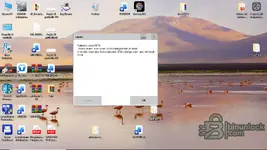
Hi Bin. Unfortunately, after a few seconds of starting Istagui, this window appears indicating a bug. I've reinstalled several times, following your instructions exactly, but every time Istagui stops starting. Why do you think this happens? Obviously, I'm asking for help, not just from you, but from everyone. Thanks.
 

Attachments

  • Screenshot (2).webp
    Screenshot (2).webp
    91.5 KB · Views: 123

Post #19

Hi Bin. Unfortunately, after a few seconds of starting Istagui, this window appears indicating a bug. I've reinstalled several times, following your instructions exactly, but every time Istagui stops starting. Why do you think this happens? Obviously, I'm asking for help, not just from you, but from everyone. Thanks.
I have same issue.
 
Activity
So far there's no one here
Back