
HINO DX3 (Diagnostic eXplorer 3) dealer-level Hino diagnostics
HINO Diagnostic eXplorer 3 (DX3) is the factory tool for Hino trucks. Perform full system
diagnostics, view/record live data, run active tests, customize ECU settings, and handle
maintenance functions. This package includes an offline асtivа*** (v1.24.2.1).
Highlights
• Read/clear DTCs across all modules
• Live data, graphing, snapshot & playback
• Active tests / functional tests (bidirectional)
• ECU configuration / customizations (where supported)
• Special functions: resets, learnings, maintenance items
• Firmware/programming support when files & VCI allow
• Offline activation – no account required (with included асtivа***)
Supported hardware (examples)
• Hino/Toyota DST-i (recommended OEM VCI)
• J2534 Pass-Thru interfaces with Toyota/Hino compatibility (coverage varies by ECU/protocol)
Note: Capability depends on the vehicle, year/protocol and the interface used.
OS compatibility
• Windows 7/8/10/11 (32/64-bit; 64-bit recommended)
• Run as Administrator; .NET Framework up to date
What’s included
• HINO DX3 main application v1.24.2
• Offline асtivа*** / License Builder v1.24.2.1 (SAM102 style)
Install & activation (offline)
1) Install HINO DX3 v1.24.2. Reboot if prompted.
2) Launch the асtivа***/License Builder as Admin.
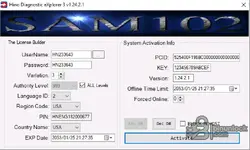
3) Copy the PCID shown on the right into the License Builder (if needed).
4) Fill values (examples based on screenshot):
– Variation: 3 • Authority Level: 999 (All Levels)
– Region/Language: select as needed • Set long EXP date
– (Optional) Set “Offline Time Limit” and tick “BLOCK IN HOST” to prevent callbacks
5) Click Activate. Start DX3 and confirm license status.
6) In Windows Firewall, block DX3 executables from internet access to keep it offline.
7) Connect your VCI, select it in DX3, and begin diagnostics.
Notes
• Programming/calibration requires correct flash files, stable power supply, and a compatible VCI.
• Some features appear only on supported models/markets.
• Do not update online when using an offline license.
Version info
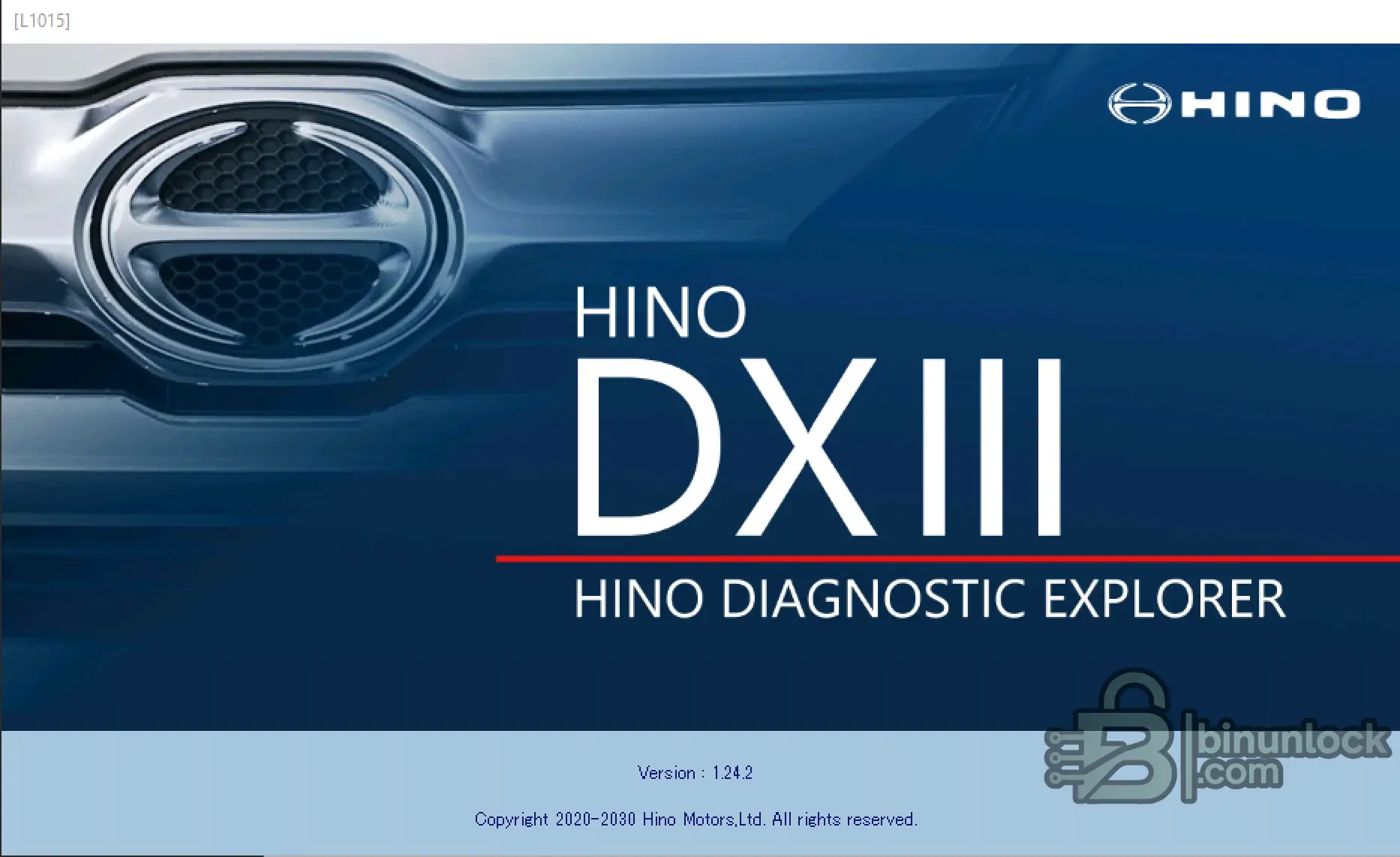
• Application splash: v1.24.2
• асtivа*** UI: v1.24.2.1
System
• Windows 7/8/10/11 (x86/x64). Portable EXE. Run as Administrator if your AV blocks file access.
Disclaimer
For diagnostics, research and service use in accordance with local laws and OEM guidelines. You
are responsible for any changes you make to vehicle software.
diagnostics, view/record live data, run active tests, customize ECU settings, and handle
maintenance functions. This package includes an offline асtivа*** (v1.24.2.1).
Highlights
• Read/clear DTCs across all modules
• Live data, graphing, snapshot & playback
• Active tests / functional tests (bidirectional)
• ECU configuration / customizations (where supported)
• Special functions: resets, learnings, maintenance items
• Firmware/programming support when files & VCI allow
• Offline activation – no account required (with included асtivа***)
Supported hardware (examples)
• Hino/Toyota DST-i (recommended OEM VCI)
• J2534 Pass-Thru interfaces with Toyota/Hino compatibility (coverage varies by ECU/protocol)
Note: Capability depends on the vehicle, year/protocol and the interface used.
OS compatibility
• Windows 7/8/10/11 (32/64-bit; 64-bit recommended)
• Run as Administrator; .NET Framework up to date
What’s included
• HINO DX3 main application v1.24.2
• Offline асtivа*** / License Builder v1.24.2.1 (SAM102 style)
Install & activation (offline)
1) Install HINO DX3 v1.24.2. Reboot if prompted.
2) Launch the асtivа***/License Builder as Admin.
3) Copy the PCID shown on the right into the License Builder (if needed).
4) Fill values (examples based on screenshot):
– Variation: 3 • Authority Level: 999 (All Levels)
– Region/Language: select as needed • Set long EXP date
– (Optional) Set “Offline Time Limit” and tick “BLOCK IN HOST” to prevent callbacks
5) Click Activate. Start DX3 and confirm license status.
6) In Windows Firewall, block DX3 executables from internet access to keep it offline.
7) Connect your VCI, select it in DX3, and begin diagnostics.
Notes
• Programming/calibration requires correct flash files, stable power supply, and a compatible VCI.
• Some features appear only on supported models/markets.
• Do not update online when using an offline license.
Version info
• Application splash: v1.24.2
• асtivа*** UI: v1.24.2.1
System
• Windows 7/8/10/11 (x86/x64). Portable EXE. Run as Administrator if your AV blocks file access.
Disclaimer
For diagnostics, research and service use in accordance with local laws and OEM guidelines. You
are responsible for any changes you make to vehicle software.


