
Mitsubishi MUT-III SE + SEPE — OEM Diagnostic Suite
Snapshot
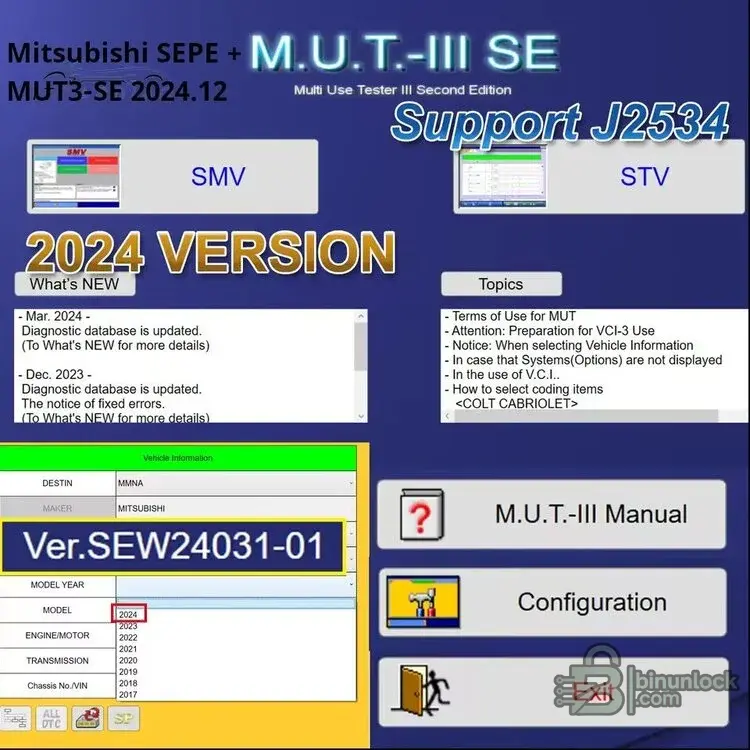
MUT-III SE (Second Edition) with SEPE is Mitsubishi’s official diagnostic environment. The 2024.12 release brings the latest diagnostic database with J2534 interface support, full-system scans, Data List graphing, active tests, guided utilities, and OEM coding/programming when used with valid credentials.
What it does
Modules
Languages
Switchable UI: English, 日本語, Français, Deutsch, Ελληνικά, Italiano, Čeština, Polski, Русский, Español, Türkçe — and more (via launcher panel).
Hardware & interfaces
Works with Mitsubishi VCI-3 and compatible J2534 pass-thru adapters (per OEM guidance). Stable 12–14 V supply recommended for workshop/bench.
Quick start
Download & access
Free download for registered forum members — sign in or create an account to view links.
Archive password (all ZIPs):
Platform support
Windows 7/8.1/10/11 (x64 recommended). Tested on Windows 10 LTSC (2019); also verified on current Windows 11 builds.
Minimum system requirements
Legal notice
Use only for authorized diagnostics and repair in accordance with Mitsubishi policies and local laws. Information is compiled from public sources; any files referenced are hosted by third parties, and our forum does not store or distribute software.
MUT-III SE (Second Edition) with SEPE is Mitsubishi’s official diagnostic environment. The 2024.12 release brings the latest diagnostic database with J2534 interface support, full-system scans, Data List graphing, active tests, guided utilities, and OEM coding/programming when used with valid credentials.
What it does
- Global scan, DTC read/clear with freeze data
- Data List (live parameters) with charts & logging
- Active tests and special functions (throttle/idle learn, EPB/SRS routines, service resets, TPMS, etc.)
- Variant coding & ECU programming with an approved account and supported VCI
- Vehicle info & model coverage updates through 2024 database
Modules
- SMV — diagnostics, utilities and workflow launcher
- STV — service/tech views, manuals and guided topics
- Built-in help: terms of use, VCI setup, coding item selection notes
Languages
Switchable UI: English, 日本語, Français, Deutsch, Ελληνικά, Italiano, Čeština, Polski, Русский, Español, Türkçe — and more (via launcher panel).
Hardware & interfaces
Works with Mitsubishi VCI-3 and compatible J2534 pass-thru adapters (per OEM guidance). Stable 12–14 V supply recommended for workshop/bench.
Quick start
- Install 2024.12, select your VCI (J2534 or OEM), and complete the launcher’s Configuration.
- Agree to Terms of Use, open SMV, run a vehicle auto-scan, then use Data List, tests, or utilities.
- For ECU programming/coding, sign in with a valid Mitsubishi account.
Download & access
Free download for registered forum members — sign in or create an account to view links.
Archive password (all ZIPs):
binunlock.comPlatform support
Windows 7/8.1/10/11 (x64 recommended). Tested on Windows 10 LTSC (2019); also verified on current Windows 11 builds.
Minimum system requirements
- CPU: Dual-core 2.0 GHz+
- RAM: 4 GB (8 GB recommended)
- Storage: 15–25 GB free
- Display: 1366×768+
- USB 2.0+; Internet required for OEM programming
Legal notice
Use only for authorized diagnostics and repair in accordance with Mitsubishi policies and local laws. Information is compiled from public sources; any files referenced are hosted by third parties, and our forum does not store or distribute software.


